

AI Transform
Text in an image,now editable
Read the text on receipts, invoices, menus, business cards and old documents with AI, and get it as JSON, TXT, Markdown, HTML, CSV, Word or PDF. The output is a draft — check it before you use it.
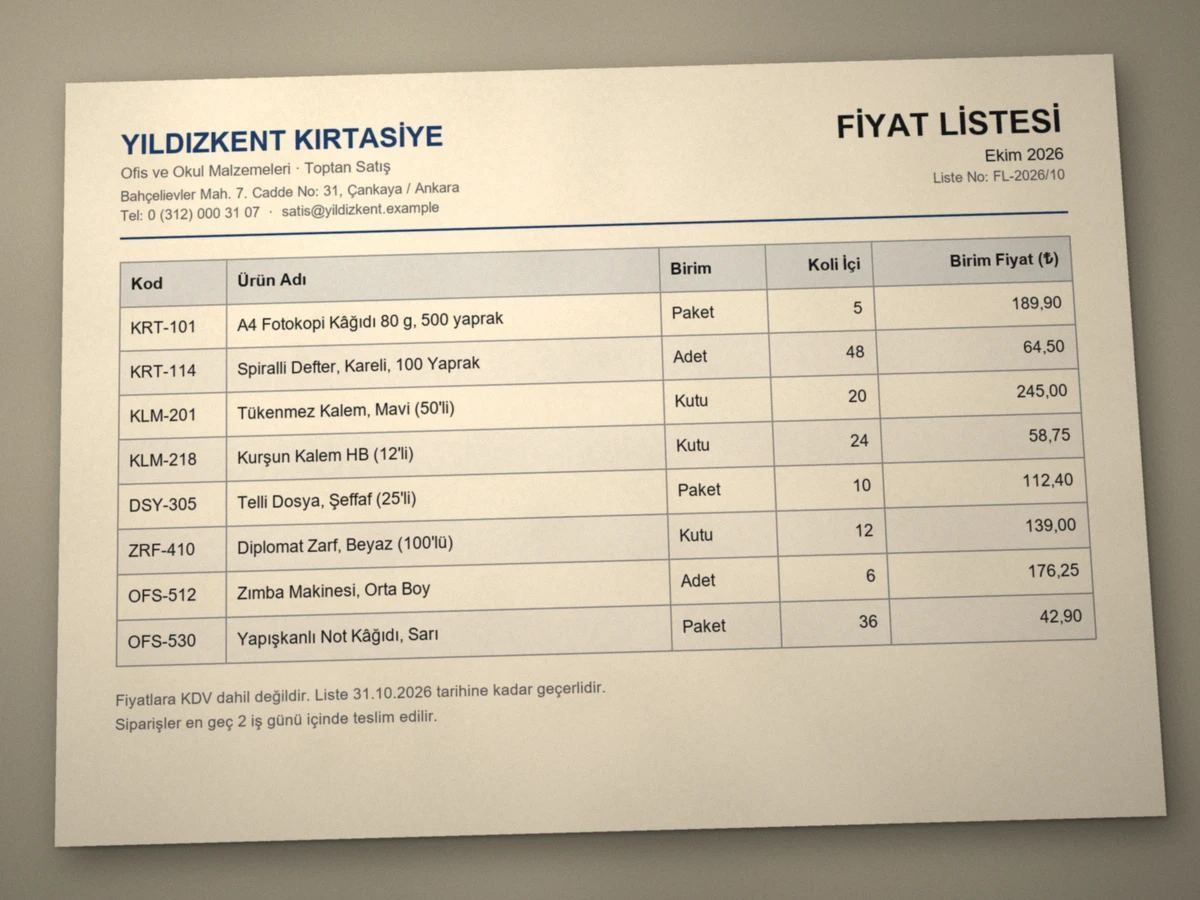
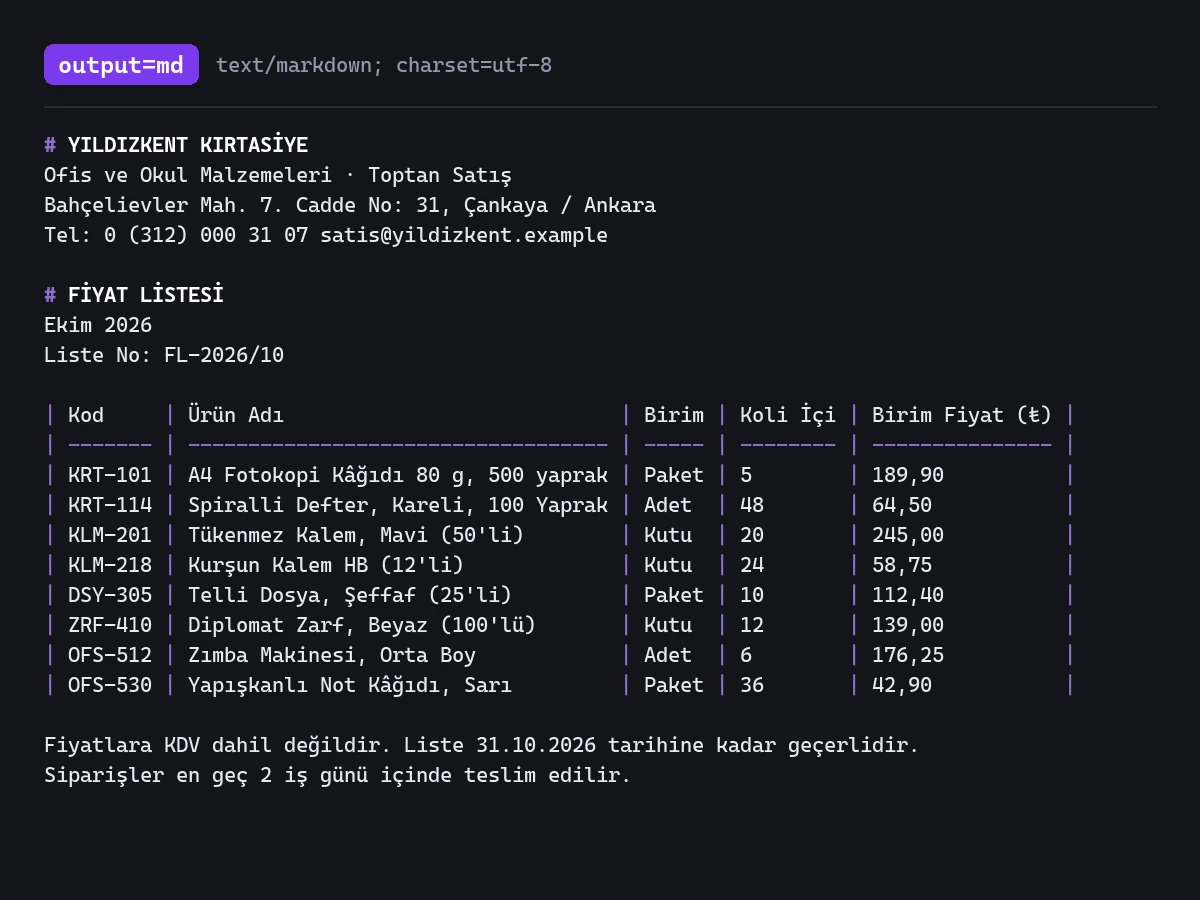
What it's for
Three scenarios, one panel
Receipts and invoices
Get the text off receipts and invoices without retyping it. Receipts come back line by line; a table is kept as a table only when the image prints its own header row.
Business cards
Get the name, title and contact details off a business card without retyping them.
Old documents and archives
Turn scanned or photographed old paperwork into editable text.
Samples
One click, visible difference
Receipt
Menu
Business card
Old document
Limits & details
What to know
Output formatsJSON · TXT · Markdown · HTML · CSV · Word (DOCX) · PDF
InputOne image · no PDF input · multi-page documents page by page
AccuracyThe output is a draft · check numbers and names against the original
Plan1 AI credit per image · Free 10 credits/mo · Pro 2,000 credits/mo
MCP
Use it from your AI assistant
This feature is also an MCP tool. Connect Claude Desktop, Claude Code or Cursor once; then just ask in plain language — your assistant calls the right tool itself.
You“Read the text on this receipt and give it to me as plain text, line by line.”
glitch_ocrcalled automaticallyOther features
Use them together
How to use it
Two ways, same result
Drop a photo of the document
JPG, PNG, WebP · not PDF · 25 MB max
Extract textDoneJSON · TXT · MD · HTML · CSV · DOCX · PDF
Download
01Upload the image
02Pick an output format
03Preview, copy or download